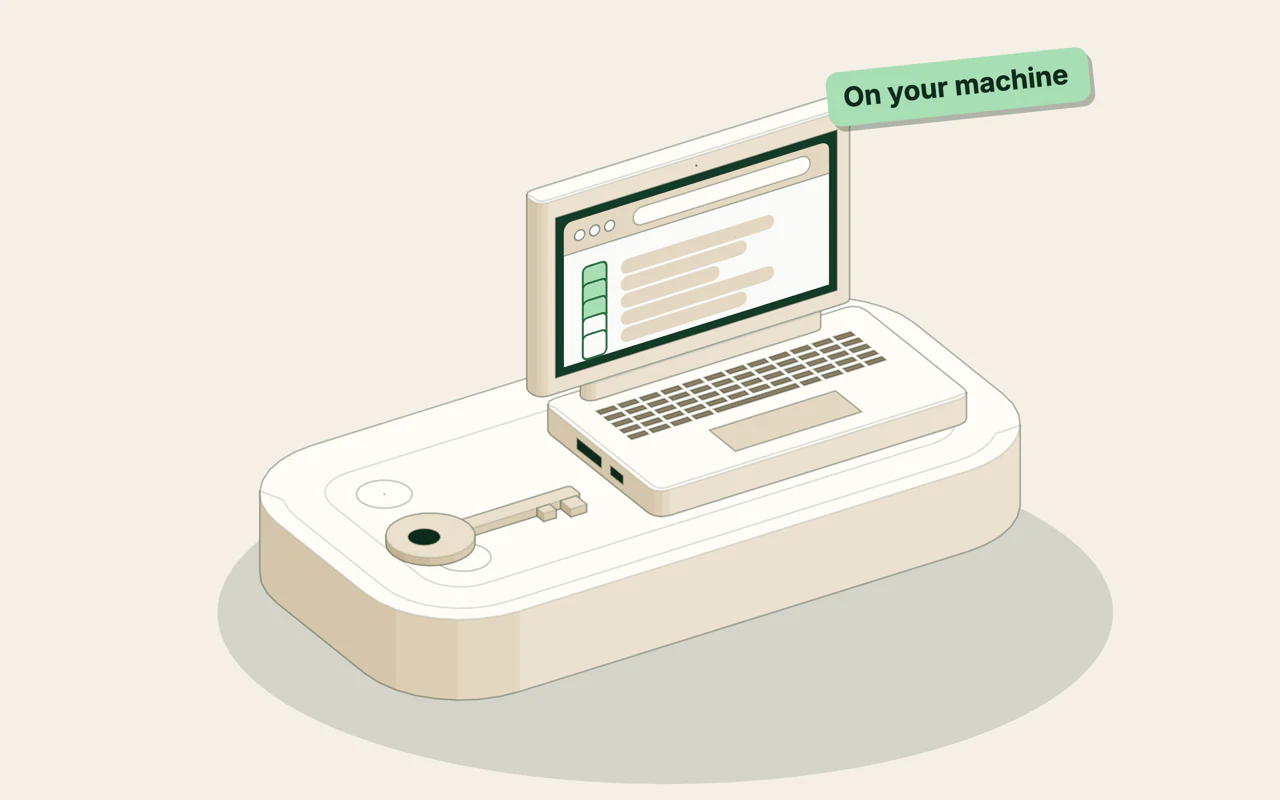
Every assistant in the previous lesson works the same basic way. You type, your words travel to a company's computers, a model there writes the answer, and it travels back. That trip is the reason for every privacy setting and every business associate agreement we have discussed. So a question comes up sooner or later in every AI workshop: can I skip the trip? Can the model just live on my own computer?
Yes, with some real conditions. This lesson explains what "open" models are, where Meta's Llama fits in a story that changed a lot this year, how people run a model on a laptop, and the honest limits of doing that in a counseling practice. It is the most technical lesson in the Basics level, and I will keep it as plain as I can.
Three ways your words can travel
It helps to see the whole map first. There are three common ways to reach a model, and they differ mainly in where your words go.
- A chat app such as claude.ai or the ChatGPT app. Your words go to the company, and its consumer privacy terms decide what happens to them.
- An API key, which is how software talks to a model directly. Developers use it to build AI into websites and tools. The words still go to the company, but under its business terms, usually billed by the amount of text processed. One exception: on the free tier of the Gemini API, Google may use your prompts to improve its products, so client information never goes there. Later lessons in this module cover APIs.
- A local model, where the model itself is a file on your computer and the computer does the work. Nothing goes anywhere, as long as the tool is set up to stay local.
That last condition matters, and I come back to it below.
What "open" means, and why it is not one thing
As lesson two explained, a model is the trained engine. Most companies keep that engine on their own servers and rent you access. Some publish it so anyone can download it. That is where the word "open" comes in, and it gets used loosely.
Open weights means the company lets you download the trained model file, sometimes called the weights, and run it yourself. Think of a recipe card: you can take it home and cook the dish in your own kitchen.
Open source is a stricter standard. The Open Source Initiative, which has defined open source software for decades, published its Open Source AI Definition in October 2024. Under that kind of standard you can not only cook the dish, you can change the recipe, sell what you make, and learn enough about the ingredients to understand how it was built. Many downloadable models fall short of that because their licenses restrict some uses.
Llama is the best-known example. Meta released Llama models for download for several years, and many people called them open source. The Open Source Initiative disagreed, pointing out that the license limits certain uses and requires very large companies, those with more than 700 million monthly users, to get special permission. So Llama has been open weights, not open source by that definition. The difference rarely matters to a counselor running a model at home. It matters a great deal to a company building a product on top of one.
Meta's turn this year
For a while, "open model" and "Llama" were nearly the same phrase. That changed in April 2026, when Meta launched Muse Spark, the model behind the Meta AI app, as a closed model you cannot download. Coverage at the time read it as Meta setting Llama aside.
Then Meta partly came back. Its developer site now lists two Muse models with downloadable weights: Muse Glimmer, which is published on Hugging Face, the main public library for model files, and a much larger model called Muse Spark Open. Reports of their exact release dates and license terms vary, so I will not repeat them here; if you plan to use either one, read the license on the download page yourself. The broader lesson is about Meta's direction: it has moved back and forth, and anyone predicting what it does next is guessing. What matters is what you can download today and what its license says.
Meta is also only one source. The model libraries inside the tools below list downloadable models from many labs, in many sizes, and new ones appear every month.
Running a model on your own computer
Two free tools account for most of the "run it at home" conversations I see.
LM Studio is a desktop app with a chat window, which makes it the gentler start. You install it, search its built-in catalog for a model, download it, and chat with it much like any assistant. Its download page lists the operating system versions it supports, so check that your computer qualifies before you start.
Ollama is a command-line tool for Mac, Windows and Linux. You download it from ollama.com, then type a short command in the Terminal to download and start a model. It is popular with developers because other programs can talk to it, which lets you build small tools around a local model. The video with this lesson, from Kevin Stratvert, walks through installing it and running a first model in under seven minutes.
The catch hiding in "local"
Ollama now offers cloud models too. Their names end in ":cloud", and they run on Ollama's servers, not yours. LM Studio's site likewise mentions cloud services. Both features are reasonable, but they mean that opening a "local" tool does not guarantee your words stay on your computer. Before you trust any tool to keep text at home, check the model's name and the tool's settings, and if you are unsure, test with your computer's Wi-Fi switched off. A model that still answers with no internet connection is truly running on your machine.
Reading a model's name
The first time you open a model catalog, the names look like license plates. They follow a pattern, and two parts of it matter most to a beginner.
The number followed by a "B" is the size, counted in billions of parameters. Parameters are the adjustable values the model learned during training. A 3B model is small and quick; a 70B model is far larger, smarter on hard questions, and much hungrier for memory. Bigger is usually better at reasoning and writing, and always slower on the same computer.
A label such as "Q4" or "4-bit" describes the compression, which the next section explains. Lower numbers mean a smaller file and a little less precision. Many catalogs also mark which version of a model will fit on your machine, which saves a lot of guessing.
My suggestion for a first try: pick a small, well-known model the catalog says will fit, and resist the urge to download the biggest one. You can always step up once you see how your computer handles it.
What your computer needs
Models are large files, and the computer has to hold the whole thing in memory to run it at a usable speed. Guides written this year agree on rough ranges rather than exact numbers, so treat these as starting points, not specifications:
- About 16 GB of memory is a practical floor for a useful small model. Machines with 8 GB can run only very small ones.
- Most downloadable models come "quantized," meaning compressed so they fit in less memory, at some cost in quality.
- On a Windows or Linux PC, a graphics card with plenty of its own memory makes a big difference to speed.
- Apple Silicon Macs share one pool of memory between the processor and graphics, which lets them run larger models than their specifications might suggest.
Expect a local model to be slower and noticeably less capable than the paid assistants from the previous lesson. The models you can fit on a laptop are much smaller than the ones running in a company's data center.
Does local mean safe for client information?
This is the question everyone actually wants answered, so here is my honest version.
If a model truly runs on your own computer and nothing is sent out, no AI company receives your words, so there is no vendor to sign a BAA with for that step. That is a real difference from every app in the previous lesson.
It does not make the setup safe by default. HIPAA's Security Rule expects you to protect electronic client information wherever it lives, which includes your own laptop: encryption, a strong login, control over who else uses the machine, backups, and what happens if it is lost or stolen. A local model on a shared family laptop with no disk encryption is still a risk. Add-ons, cloud models, sync features and automatic updates can also open doors you did not intend.
My advice for this module is simple. Learn local models with non-client material first: your own articles, public documents, practice drafts. If you later want to bring one anywhere near client information, have someone who does healthcare security for a living review the whole setup first. The two tests from lesson four still apply; a local model changes the second one, not the first.
When a small practice would bother
For most clinicians, a well-configured mainstream assistant is the better daily tool. A local model earns its place in a few situations:
- You want to draft or brainstorm with a guarantee that nothing leaves the machine, and you accept lower quality in exchange.
- You have a large batch of your own non-client documents to summarize or sort, and you would rather not pay per use.
- You want to understand how these systems actually work. Watching a model run on your own hardware, slowly, teaches more than any explainer.
It is not worth it if you want the best possible answers, if you do not want to maintain software, or if part of the appeal is that it feels like a way around the client-information rules. It is not one.
Try it this week
- Check your computer's memory: on a Mac, Apple menu, About This Mac; on Windows, Settings, System, About.
- If you have 16 GB or more, install LM Studio or Ollama and download one small model.
- Ask it the same non-client question you used in the previous lesson, and compare its answer with a mainstream assistant's.
- Turn off Wi-Fi and ask again. If it still answers, it is running locally.
That small experiment shows the trade in one sitting: more privacy and control on one side, less speed and polish on the other. Both are real, and now you can judge them yourself instead of taking anyone's word for it.
Further reading
- Meta's Llama license is not open source, Open Source Initiative.
- Meta AI for developers, Meta. Lists the current downloadable Muse models.
- Download Ollama, Ollama.
- LM Studio, Element Labs.
- The HIPAA Security Rule, HHS.
- What never goes in a chat. The two tests that still apply to a local model.
This lesson's video has its own page
Sources
- “With Muse Spark, Meta pivots away from its open-weights Llama strategy.” DeepLearning.AI, The Batch. Muse Spark launched 2026-04-08 as a closed model. https://www.deeplearning.ai/the-batch/with-muse-spark-meta-pivots-away-from-its-open-weights-llama-strategy (accessed Nov 24, 2026).
- “Goodbye, Llama: Meta launches new proprietary AI model Muse Spark.” VentureBeat. Muse Spark is closed; coverage read it as Meta setting Llama aside. https://venturebeat.com/technology/goodbye-llama-meta-launches-new-proprietary-ai-model-muse-spark-first-since (accessed Nov 24, 2026).
- “Meta AI for developers.” Meta. Lists open-weight Muse Spark Open and Muse Glimmer (on Hugging Face). Release dates and license terms reported by press are not confirmed here. https://dev.meta.ai/ (accessed Nov 24, 2026).
- “Meta's Llama 2 license is not open source.” Open Source Initiative, Jul 20, 2023. Use restrictions and the 700 million monthly user clause keep Llama outside the open source definition. https://opensource.org/blog/metas-llama-2-license-is-not-open-source (accessed Nov 24, 2026).
- “We finally have an official definition for open source AI.” TechCrunch, Oct 28, 2024. OSI Open Source AI Definition 1.0. https://techcrunch.com/2024/10/28/we-finally-have-an-official-definition-for-open-source-ai/ (accessed Nov 24, 2026).
- “Download Ollama.” Ollama. macOS, Windows and Linux; cloud models with names ending ":cloud" run on Ollama's servers. https://ollama.com/download (accessed Nov 24, 2026).
- “LM Studio.” Element Labs. Desktop app for running models locally; the site also mentions cloud services. https://lmstudio.ai/ (accessed Nov 24, 2026).
- “PC hardware needed to run a local AI model.” Engadget. Third-party ranges for memory and graphics; taught as rough guidance only. https://engadget.com/2307701/pc-hardware-needed-run-local-ai-model/ (accessed Nov 24, 2026).
- “Local LLMs are getting easier: the complete guide 2026.” SitePoint. Quantization and unified memory explained; figures vary by source. https://www.sitepoint.com/local-llms-are-getting-easier-the-complete-guide-2026/ (accessed Nov 24, 2026).
- “The Security Rule.” U.S. Department of Health and Human Services. Administrative, physical and technical safeguards for electronic protected health information. https://www.hhs.gov/hipaa/for-professionals/security/index.html (accessed Nov 24, 2026).
- “How to Use Ollama (Free Local AI).” Kevin Stratvert (YouTube), Nov 5, 2026. The video on this lesson. https://www.youtube.com/watch?v=btMoPRHz8eM (accessed Nov 24, 2026).
Study guide
Three ways to reach a model
- Chat app: words go to the company; consumer privacy terms apply.
- API key: software sends words to the company under business terms, billed by usage.
- Local model: the model is a file on your computer; nothing leaves if set up to stay local.
Open, defined
- Open weights: you can download and run the model file.
- Open source: a license meeting a published standard that also lets you change, reuse and sell (OSI on Llama).
- Llama has been open weights, not open source by the OSI definition.
- April 2026: Meta's Muse Spark launched closed. Meta's developer site now lists open-weight Muse Glimmer and Muse Spark Open (dev.meta.ai).
Running one at home
- LM Studio: desktop chat app, gentler start (lmstudio.ai).
- Ollama: command-line tool; names ending ":cloud" run on Ollama's servers (ollama.com).
- Rough ranges: about 16 GB of memory as a floor; quantized models; Apple Silicon unified memory helps.
- Wi-Fi off test: if it still answers, it is local.
Client information
- Local removes the AI vendor, not your duty to secure the device (HIPAA Security Rule).
- Practice with non-client material first; get a security review before anything else.
Check what you learned
10 questions from this lesson. Answers are checked as you go; nothing is recorded.
1 / 10
In a chat app like claude.ai, where does the model that answers you run?
Hint
Your words make a trip.
Chat apps send your words to the company, where its model writes the answer.
2 / 10
What does "open weights" mean?
Hint
The recipe card you take home.
Open weights means the model file itself is downloadable.
3 / 10
How is open source different from open weights?
Hint
Change the recipe and sell the dish.
The Open Source Initiative's definition requires broader freedoms than a download.
4 / 10
Why does the Open Source Initiative say Llama's license is not open source?
Hint
A size limit on who may use it freely.
Use restrictions and the large-company clause keep it outside the definition.
5 / 10
What changed with Meta's models in April 2026?
Hint
The model behind the Meta AI app.
Muse Spark launched closed; Meta later published some open-weight Muse models.
6 / 10
In Ollama, what does a model name ending in ":cloud" mean?
Hint
A local tool can still send words out.
Cloud models run remotely, so "local tool" does not guarantee local running.
7 / 10
What is a quick way to confirm a model is really running on your computer?
Hint
No connection, no trip.
If it answers with no internet, the work is happening on your machine.
8 / 10
About how much memory do guides suggest as a practical floor for a useful small local model?
Hint
8 GB handles only very small models.
Guides give rough ranges, with about 16 GB as a practical starting point.
9 / 10
A model runs fully on your laptop. Does that make it safe for client information by itself?
Hint
The Security Rule covers your own devices.
No AI vendor receives the data, but you still must protect it on the machine, and add-ons or cloud models can send it out.
10 / 10
Which is a good reason for a small practice to try a local model?
Hint
Privacy and learning, not a loophole.
Local models trade quality for control. They are not a way around HIPAA.
Worth another look


