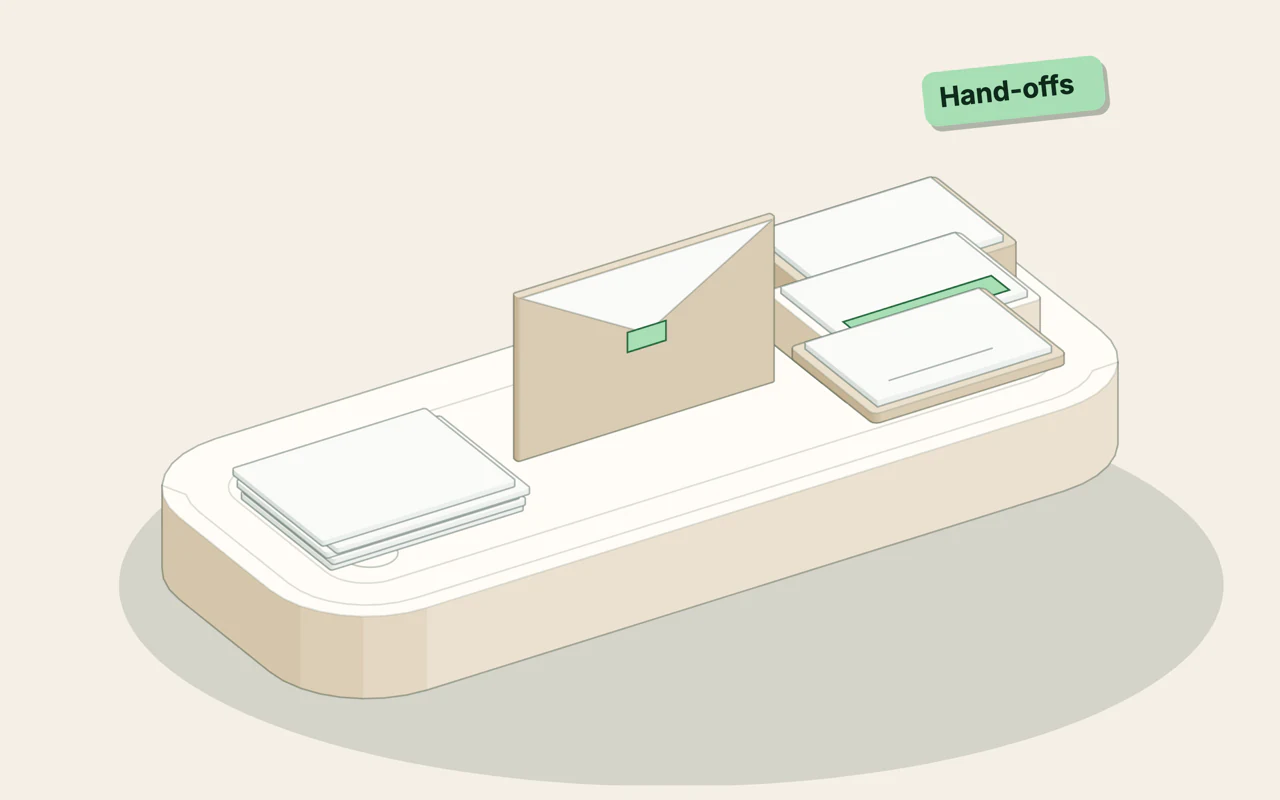
One agent in one session can do a surprising amount. Sooner or later, though, a job gets too big for one desk. The research crowds out the writing, the writing crowds out the checking, and the agent starts to lose track of things it read an hour ago. The answer is the same one a growing practice reaches: share the work. This lesson is about agent teams, from a single helper to a full graph of steps, and about the hand-offs that make or break them.
My rule, which I will argue for below: start with one agent. Add helpers when the context fills up. Build a graph only when the process has to run without you.
Why one desk stops being enough
In earlier lessons I compared the context window to a desk. Anthropic's engineering team has a name for what happens when that desk gets crowded: context rot. As more material piles into the window, the model gets worse at finding and using any single piece of it. A long session does not fail all at once. It gets a little vaguer, a little more forgetful, and it starts to repeat itself.
Compaction helps, and so does a notes file kept outside the window. The third remedy, the subject of this lesson, is to give parts of the job to helpers with their own clean desks, and have them hand back only what matters.

Subagents: a helper with its own desk
A subagent is a second agent that the main one starts for a specific task. In Claude Code's description, each subagent has its own context window, its own instructions, its own tools and its own permissions. It works on its piece, then returns a summary to the agent that sent it. All the files it read and the dead ends it explored stay on its desk, not yours.
You can define your own. In Claude Code a subagent is a short text file with a few lines of settings at the top, saved in a .claude/agents/ folder in a project or in your home folder. Only two settings are required: a name and a description of when to use it. Others are optional but worth knowing:
- Tools: a list of what it is allowed to use. A reviewer might get reading and searching only.
- Disallowed tools: a list of what it may not use.
- Model: a smaller, cheaper model for simple jobs, a stronger one for hard ones.
One warning from the documentation deserves a place on your fridge: "An agent with Bash can still change files even without Edit." Bash is the tool that runs terminal commands, and a terminal command can do almost anything. If you want a helper that truly cannot change things, take away the command line too.
Two more facts keep expectations honest. A subagent starts fresh, knowing nothing about your conversation, so it is only as good as the brief it gets. And its work counts toward your plan's usage like any other. Anthropic is also clear that a subagent does not make answers smarter. What it gives you is a clean desk and, for review, a fresh pair of eyes.
The hand-off is the whole game
Most failures in agent teams happen at the hand-off. The lead knows something the helper does not, and the brief leaves it out. Or the helper returns a long, confident report and the lead takes it at face value.
I brief a helper the way I would brief a new colleague covering my practice for a week. A good brief has:
- The goal, in one sentence, and what done looks like.
- What I have already ruled out, so it does not spend an hour rediscovering it.
- Where to look: the files, documents or pages that matter.
- The edges: what it owns and what it must not touch.
- The shape of the answer: a short report, a list of facts with sources, a pass or fail.
On the way back, I treat the report as a claim, not a fact. Anything that will shape a decision gets checked against its source, either by me or by a second helper. A report written with confidence can still be wrong.
Parallel work without collisions
Helpers can work at the same time. Three researchers can read three topics in the time one would take to read one. The rule that makes this safe is simple: every file has exactly one owner. If two helpers edit the same file at once, one will overwrite the other, and nobody will notice until something is missing.
This module is a fair example. Its twenty lessons were written by several helpers working side by side, each owning its own lesson files and its own diagram file. A shared outline and a progress file kept them consistent. Nobody edited anyone else's files, and each lesson was saved as its own step so any one of them could be undone without touching the rest.
Five shapes a team can take
Anthropic's guide to building agents names five patterns. You do not need the names, but you will recognise the shapes:
- A chain: one step feeds the next. Draft, then edit, then format.
- A router: a first step sorts the job and sends it to the right specialist. Billing questions one way, scheduling questions another.
- Parallel helpers: several pieces at once, joined at the end.
- A lead with workers: a lead agent decides the pieces as it goes and hands them out. Cursor's Projects work this way, with "a coordinator agent" that "plans the work and delegates it to other agents."
- A maker and a checker: one produces, another evaluates and sends it back until it passes. You met this loop in Loops that check themselves.
The same guide gives advice I repeat to anyone starting out: begin with the simplest thing that works, and add structure only when it clearly earns its keep.
Graphs: when the process runs without you
A graph is a team written down as a map. Each step is a box, each hand-off is an arrow, and the whole thing carries a shared record of where the job stands. Tools such as LangGraph let developers build these maps, with checkpoints that save progress and approval gates where a person has to say yes before the next step runs.
You need a graph when the same process must run again and again without you in the room: a weekly report, a set of pages checked every morning. You do not need one for a one-off job you will watch from start to finish. A single agent, or a lead with one or two helpers, is easier to follow and easier to fix.
Grok Bot's teams are one consumer version of this idea, covered in Grok Bot: from first chat to a working team.
My own team, with the names taken out
When I build something larger than a small fix, it runs like the diagram above. I talk only to the lead session. It plans the job, writes the plan into a progress file and briefs the helpers. Each helper has a name and one role (researcher, writer, figure maker, critic), and I refer to them by name so I always know who said what. Helpers that do not depend on each other start at the same time. Their reports come back as summaries.
Before anything is kept, a critic reads the work. Its only job is to find what is wrong, and it never saw the work being made. Then everything goes to a private copy on my own computer, where I look at it. Only after that, and only with my yes, does anything go live. The progress file gets updated at every stopping point, so if the session ends, the next one starts by reading where we left off.
A team the size of a small practice
You do not need a software project to use any of this. Here is a team I would set up for a clinician who writes a short article for their website each month.
- The lead is the session you talk to. You give it the topic and the reader you have in mind, say a parent wondering whether their teenager needs counseling.
- A researcher reads four or five public sources you trust and returns a short list of facts, each with its link and date. It writes nothing for publication.
- A writer drafts the article from that list and your own notes on how you work, in your voice, under a word limit.
- A critic, started fresh, gets only the draft and a checklist: every fact has a source, nothing could identify a client, nothing reads as a diagnosis or a promise, the tone sounds like you.
The lead merges the critic's notes, and then you read the result the way you would read anything going out under your name. That last step is not optional and never will be. The team saves you the hours of gathering and drafting. It does not take over your judgment about what a worried parent should read.
Notice that this team has the same bones as mine: a lead, helpers with narrow jobs and their own desks, a critic who never saw the draft being made, and a person who says yes before anything is published. The tools change from year to year. The bones have held up well.
What goes wrong
- Too many agents. A hundred agents is not a department. Each one adds cost and another hand-off where something can be lost.
- Thin briefs. A helper that starts fresh with a one-line brief will guess, and confidently.
- Shared files. Two helpers in one file is a lost change waiting to happen.
- No checker. A team that reviews its own work agrees with itself.
Try it
Pick a job with two clear halves, such as gathering facts and writing them up. Do it with one helper. In Claude Code, ask the main agent to send a subagent to read three public pages you choose and return five facts with links. Read the brief it writes for the helper before it goes. Then read the report and check two of the five facts yourself. You will learn more about hand-offs from that one exercise than from any diagram.
Further reading
- Create custom subagents, Anthropic. How subagents work and how to define your own.
- Building effective agents, Anthropic. The five patterns, and why simple wins.
- Effective context engineering for AI agents, Anthropic. Context rot, notes and subagents.
- Introduction to Subagents, Anthropic Academy. A free course.
- Building Effective Human-Agent Teams, Anthropic Academy. A free course on working alongside agents.
Facts in this lesson checked November 24, 2026.
This lesson's video has its own page
Sources
- “Create custom subagents.” Anthropic. Own context, instructions, tools and permissions; returns a summary; defined in .claude/agents/ with name and description required; tools and disallowedTools; "An agent with Bash can still change files even without Edit"; starts fresh; usage counts toward. https://code.claude.com/docs/en/sub-agents (accessed Nov 24, 2026).
- “Building effective agents.” Anthropic, Dec 19, 2024. Prompt chaining, routing, parallelization, orchestrator-workers, evaluator-optimizer; start simple. https://www.anthropic.com/engineering/building-effective-agents (accessed Nov 24, 2026).
- “Effective context engineering for AI agents.” Anthropic, Sep 29, 2025. Context rot; compaction, structured notes and subagents that return summaries. https://www.anthropic.com/engineering/effective-context-engineering-for-ai-agents (accessed Nov 24, 2026).
- “Best practices for Claude Code.” Anthropic. A subagent does not make answers smarter, but a fresh reviewer catches what the author missed. https://code.claude.com/docs/en/best-practices (accessed Nov 24, 2026).
- “Agent overview.” Cursor. In Projects, "a coordinator agent plans the work and delegates it to other agents.". https://cursor.com/docs/agent/overview (accessed Nov 24, 2026).
- “Subagents.” LangChain. Subagents for context isolation in graph-based multi-agent systems. https://docs.langchain.com/oss/javascript/langchain/multi-agent/subagents (accessed Nov 24, 2026).
- “Multi-Agent Workflows in Claude Code: Skills, Subagents and Handoffs.” The Code City (YouTube), Jul 26, 2026. The video on this lesson. https://www.youtube.com/watch?v=qiDalcMeBFk (accessed Nov 24, 2026).
- “Introduction to Subagents.” Anthropic Academy. Free course. https://anthropic.skilljar.com/introduction-to-subagents (accessed Nov 24, 2026).
- “Building Effective Human-Agent Teams.” Anthropic Academy. Free course. https://academy.claude.com/courses/building-effective-human-agent-teams (accessed Nov 24, 2026).
Study guide
Key terms
- Context rot: quality dropping as the context window fills
- Subagent: a helper agent with its own context, tools and permissions that returns a summary
- Brief: the instructions a helper starts with; it knows nothing else
- Parallel work: helpers running at the same time, each owning its own files
- Coordinator, or lead: the agent that plans, hands out pieces and merges results
- Graph: a team written down as steps and hand-offs, with saved state and approval gates
Facts that move (checked November 24, 2026)
- Claude Code subagents live in .claude/agents/ or ~/.claude/agents/; only name and description are required (Anthropic)
- A subagent with the command line can change files even without the edit tool (Anthropic)
- Cursor Projects use a coordinator agent that delegates to other agents (Cursor)
- Five patterns: chaining, routing, parallelization, orchestrator-workers, evaluator-optimizer (Anthropic, December 2024)
A good brief
- The goal and what done looks like
- What is already ruled out
- Where to look
- What it owns and must not touch
- The shape of the answer
Check what you learned
10 questions from this lesson. Answers are checked as you go; nothing is recorded.
1 / 10
What is "context rot"?
Hint
A crowded desk.
Anthropic's term for how quality drops as more material piles into the context window.
2 / 10
What does a subagent return to the agent that started it?
Hint
Its desk stays its own.
Each subagent works in its own context and hands back a summary.
3 / 10
Which two settings are required to define a Claude Code subagent?
Hint
Who it is and when to use it.
Only name and description are required; tools, model and others are optional.
4 / 10
Why is "An agent with Bash can still change files even without Edit" worth remembering?
Hint
The command line is powerful.
To make a truly read-only helper, take away the command line as well as editing.
5 / 10
Does a subagent make answers smarter?
Hint
Clean desk, not a bigger brain.
Anthropic is clear that a subagent does not make answers smarter on its own.
6 / 10
Which is part of a good brief for a helper?
Hint
Save it the rediscovery.
Goal, what is ruled out, where to look, the edges and the shape of the answer.
7 / 10
What rule makes parallel helpers safe?
Hint
No two hands in one file.
If two helpers edit the same file at once, one overwrites the other.
8 / 10
Which pattern describes one agent that produces and another that evaluates and sends work back?
Hint
Make, check, repeat.
The evaluator-optimizer pattern is the loop from the previous lesson, split across two agents.
9 / 10
When is a graph worth building?
Hint
No one in the room.
A graph earns its keep for processes that run on their own, with saved state and approval gates.
10 / 10
What is my order for growing an agent setup?
Hint
Simplest first.
Start with one agent, add helpers when the desk fills up, build a graph only for unattended processes.
Worth another look


