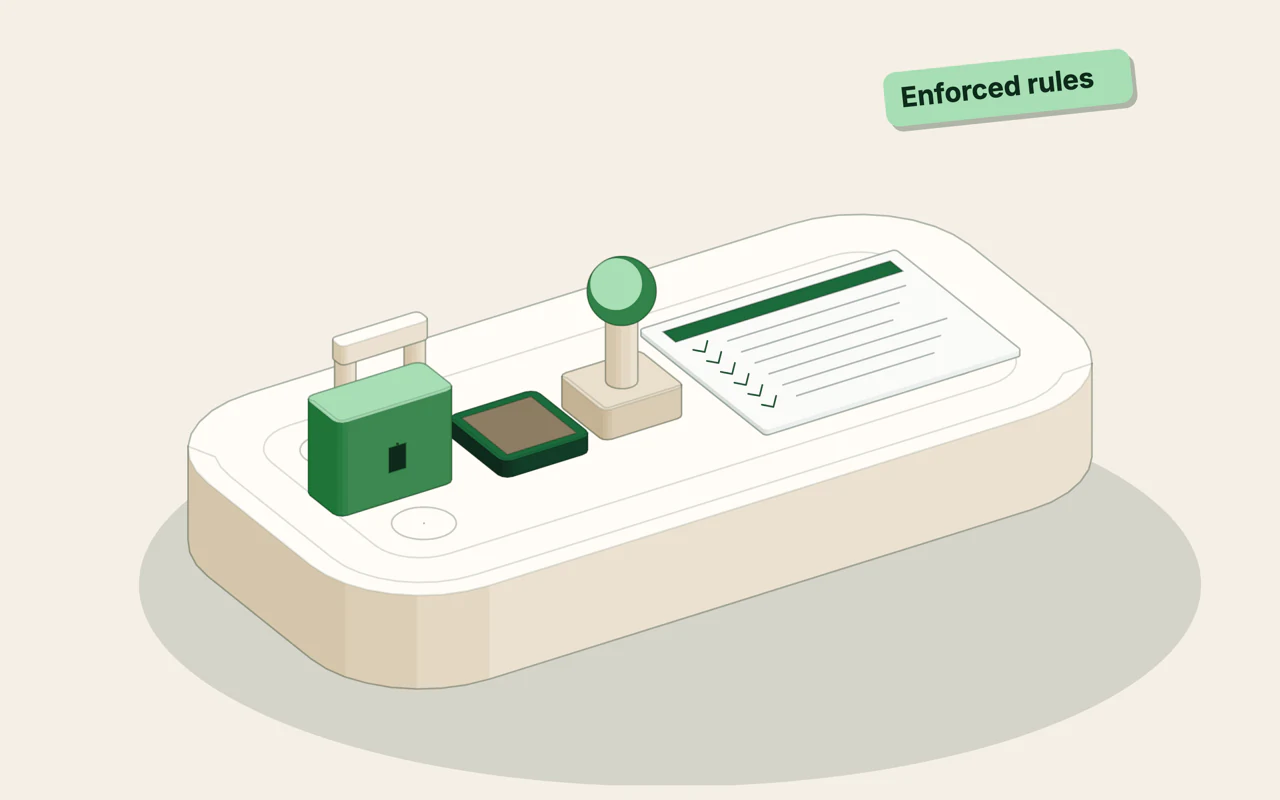
Every rule you give an agent is one of two kinds. Some are advice: a line in your instructions file, a reminder in your prompt. The agent reads them and usually follows them. Others are enforced: the harness checks them every single time, whatever the agent thinks, and refuses the action if the rule is broken. The tool for the second kind is called a hook. This lesson explains what hooks are, where they sit in a session, and which ones are worth having even if you never write a line of code.
The picture I use: your instructions file is the note on the fridge. A hook is the lock on the door. The note works most days. The lock works every day, including the day everyone is tired and the note has fallen behind the fridge.
Advice is followed almost every time
In the lesson on the agent loop I described CLAUDE.md, the file of standing instructions Claude Code loads at the start of each session. Anthropic says Claude follows it "almost every time." That is a fair description, and it is also the reason hooks exist. For most rules, almost every time is fine. For a few, it is not. "Never edit the file that holds my passwords." "Never push to the live site without my yes." "Never finish while the tests are failing." For rules like these, once in a hundred is too often.
Anthropic's best-practices page has a line I wish I had read sooner: "If you keep adding emphasis to a CLAUDE.md line and Claude still misses it, that's a sign the line belongs in a hook." If you find yourself writing NEVER in capital letters, stop typing and move that rule to a hook.

What a hook is
A hook is a small command that the harness runs at a fixed moment in a session. Anthropic's guide describes it as a shell command that runs at a specific point in Claude Code's lifecycle, and the key word is always: the agent does not decide whether the hook runs. The harness runs it.
Claude Code's hooks reference lists dozens of these moments. Five cover most of what a beginner will want:
- SessionStart: when a session opens, or picks up again after the context was compacted.
- UserPromptSubmit: after you press enter, before your message reaches the model.
- PreToolUse: just before the agent uses a tool, such as editing a file or running a command.
- PostToolUse: just after a tool finishes.
- Stop: when the agent tries to finish its turn.
A hook can be narrowed with a matcher, so it only runs for certain tools. A hook with the matcher Edit|Write runs before or after file edits and stays quiet when the agent is only reading.
How a hook says no
The hook reports back through its exit code, a number every command returns when it ends. Two numbers matter:
- Exit 0: no objection. The action goes ahead.
- Exit 2: blocked. The action does not happen, and whatever the hook printed as its reason goes back to the agent.
That second part is what makes hooks feel less like a wall and more like a good supervisor. The agent is told why, and it can change course. If a hook blocks an edit to a protected file with the message "this file holds credentials; ask first," the agent reads that, stops trying and asks me.
Here is the example Anthropic gives in its best-practices page, a Stop hook that will not let the agent finish while the code has type errors:
{"hooks": {"Stop": [{"hooks": [{"type": "command", "command": "pnpm tsc --noEmit 1>&2 || exit 2"}]}]}}In plain words: when the agent tries to stop, run the type checker. If it passes, carry on. If it fails, exit with 2, which blocks the stop and sends the errors back so the agent fixes them. Claude Code has its own safety net here: if a Stop hook blocks eight times in a row, it ends the turn anyway, so a broken check cannot trap the agent forever.
One block, step by step
It helps to watch a hook work once in slow motion. Say I have a PreToolUse hook with the matcher Edit|Write, and its whole job is to refuse any edit to a file whose name contains "secrets."
- I ask the agent to tidy up the settings in a project.
- The agent decides to edit three files. The third one is the secrets file, and it reaches for the Edit tool.
- Before the edit happens, the harness runs my hook and hands it the details: which tool, which file.
- The hook sees the word in the file name, prints "secrets files are edited by hand only" and exits with 2.
- The edit never happens. The agent receives the message instead of a result.
- It finishes the other two files and tells me the third needs my hands.
Notice what did not happen. The agent did not have to remember the rule, agree with it or even know about it in advance. It found out at the moment it mattered, from something it could not argue with. That is the difference between a rule written down and a rule enforced, and it is why I sleep better with a few of these in place.
Where hooks live
Claude Code reads hooks from its settings files. Ones in your home folder (~/.claude/settings.json) apply to every project. Ones in a project's .claude/settings.json apply to that project and can be shared with anyone who works on it. A .claude/settings.local.json file holds your personal ones for a single project. Plugins and skills can carry hooks too.
Cursor has hooks as well, set in .cursor/hooks.json in a project or ~/.cursor/hooks.json for everything. Its moments have different names (preToolUse, beforeShellExecution, afterFileEdit, stop and others) but the same idea: a script that can watch an action, block it or change it. Cursor's documentation lists formatters, scanning for secrets or personal information, and gating risky database writes as typical uses. One detail to know: Cursor says hooks set at the user level do not run in its cloud agents, so a rule that must hold everywhere belongs in the project.
The hooks I actually run
I keep a small set, and each one exists because something went wrong without it:
- A notification when the agent is waiting on me. Without it, I would step away and come back twenty minutes later to an agent politely asking a question. Now my computer tells me.
- A reminder after compaction. When a long session gets compacted, a SessionStart hook puts my most important rules and my progress file back in view, so the summary cannot quietly drop them.
- A garbled-prompt guard. My keyboard sometimes repeats keys. A hook on UserPromptSubmit blocks messages that are obviously garbage before the agent tries to act on them.
- A guard on huge files. A PreToolUse hook refuses to load very long files whole into my main session. The agent is told to hand the job to a helper that reads the file and returns only the answer, which keeps the main session clear. You will meet helpers in the next lesson.
Alongside these I keep a check that runs before anything is pushed to a live site. It renders the main pages on my local copy and refuses the push if any page is broken. That one lives in my version control rather than in the agent, but it works on the same principle: a rule nobody has to remember.
A first hook you can copy
The easiest useful hook is the notification. On a Mac, this is the setting I use, added to ~/.claude/settings.json:
{"hooks": {"Notification": [{"hooks": [{"type": "command", "command": "osascript -e 'display notification \"Claude Code is waiting on you\" with title \"Claude Code\"'"}]}]}}When Claude Code needs your attention, a notification appears. It cannot do any harm, it teaches you where hooks live, and you will use it every day. Anthropic's hooks guide lists it among its starter examples, along with formatting files after every edit, blocking edits to protected files and putting context back after compaction.
What hooks can be in a practice
Hooks matter most where a mistake is expensive. If you ever use an agent near practice files, these are the rules I would move from advice to enforcement first:
- A protected folder. Block any edit or command that touches the folder where client records or billing exports live. Better still, keep those folders out of any project an agent opens.
- A deny list for destructive commands. Commands that delete folders or overwrite history should be blocked outright. A deny rule in settings can do this too, and the last lesson in this level covers those.
- A secrets scan. Before any file is saved or sent, check it for things that look like passwords or keys.
- No finish without the check. A Stop hook that runs your checklist and blocks the finish if it fails.
Cautions
A hook is a command that runs on your computer with your permissions, automatically. That is its power and its risk. Read any hook before you install it, especially one copied from a forum or a video. Keep hooks fast, because a slow hook slows every step. And test a new hook on a throwaway project first: a hook that blocks too much can make an agent useless until you find it.
Claude Code also supports hooks that ask a model for a judgment, or call a web address, rather than running a script. Those are useful, but start with plain command hooks. A rule you can read in one line is a rule you can trust.
Try it
Open your instructions file, or the prompt you reuse most. Find the line you have emphasised the most, the one in capital letters or repeated twice. Ask yourself whether it would matter if the agent missed it once in a hundred times. If the answer is yes, that line is your first hook. Describe it to your agent in Plan mode, ask it to draft the hook and explain each part, and test it in a scratch folder before you trust it anywhere else.
Further reading
- Automate workflows with hooks, Anthropic. Starter hooks with explanations.
- Hooks reference, Anthropic. Every event, matcher and exit code.
- Hooks, Cursor. The same idea in Cursor's agent.
- Best practices for Claude Code, Anthropic. When a rule belongs in a hook rather than in CLAUDE.md.
- Loops that check themselves. Where Stop hooks fit in a working loop.
Facts in this lesson checked November 24, 2026.
This lesson's video has its own page
Sources
- “Automate workflows with hooks.” Anthropic. A hook is a shell command at a fixed lifecycle point; exit 0 carries on, exit 2 blocks and returns the reason; matchers; starter examples including notifications, formatting, protected files and context after compaction. https://code.claude.com/docs/en/hooks-guide (accessed Nov 24, 2026).
- “Hooks reference.” Anthropic. Settings locations, the full list of events, and command, prompt, agent and HTTP hook types. https://code.claude.com/docs/en/hooks (accessed Nov 24, 2026).
- “Best practices for Claude Code.” Anthropic. CLAUDE.md is followed "almost every time"; "that's a sign the line belongs in a hook"; the Stop hook example; the turn ends after eight blocks in a row. https://code.claude.com/docs/en/best-practices (accessed Nov 24, 2026).
- “Hooks.” Cursor. hooks.json locations, event names, observe, block or modify over JSON; formatters, secret and PII scanning, gating database writes; user-level hooks do not run in cloud agents. https://cursor.com/docs/agent/hooks (accessed Nov 24, 2026).
- “Claude Code Hooks Explained: Deterministic Agent Actions.” Fru Dev (YouTube), Mar 5, 2026. The video on this lesson. https://www.youtube.com/watch?v=n8D-s-268sE (accessed Nov 24, 2026).
- “Claude Code in Action.” Anthropic Academy. Free course with a section on hooks. https://anthropic.skilljar.com/claude-code-in-action (accessed Nov 24, 2026).
Study guide
Key terms
- Advice: instructions the agent usually follows (CLAUDE.md, rules files, prompts)
- Enforcement: rules the harness checks every time (hooks, deny rules, managed settings)
- Hook: a command the harness runs at a fixed moment in a session
- Matcher: a filter that limits a hook to certain tools, such as Edit|Write
- Exit code: the number a command returns; 0 means carry on, 2 means block
Facts that move (checked November 24, 2026)
- Main Claude Code hook events: SessionStart, UserPromptSubmit, PreToolUse, PostToolUse, Stop (Anthropic hooks reference)
- Claude Code settings files: ~/.claude/settings.json, .claude/settings.json, .claude/settings.local.json (Anthropic)
- Cursor hooks: .cursor/hooks.json or ~/.cursor/hooks.json; user-level hooks do not run in cloud agents (Cursor)
- A Stop hook that blocks eight times in a row no longer holds the turn (Anthropic best practices)
Rules worth moving into hooks first
- A notification when the agent is waiting
- No edits to protected folders or credential files
- No destructive commands
- A secrets scan before files are saved or sent
- No finishing while the check fails
Check what you learned
10 questions from this lesson. Answers are checked as you go; nothing is recorded.
1 / 10
What is the difference between a CLAUDE.md rule and a hook?
Hint
The note and the lock.
CLAUDE.md is followed "almost every time." A hook runs every time, whatever the agent thinks.
2 / 10
According to Anthropic, what is the sign that a rule belongs in a hook?
Hint
Capital letters are a clue.
"If you keep adding emphasis to a CLAUDE.md line and Claude still misses it, that's a sign the line belongs in a hook."
3 / 10
Which hook moment runs just before the agent edits a file or runs a command?
Hint
Before the tool.
PreToolUse runs before a tool is used, which is where blocking makes sense.
4 / 10
What does exit code 2 from a hook do?
Hint
Blocked, with a reason.
Exit 2 blocks, and what the hook printed goes back to the agent so it can change course.
5 / 10
What does a matcher such as Edit|Write do?
Hint
Narrows it.
A matcher means the hook only runs for the tools named, such as edits and writes.
6 / 10
The Stop hook in Anthropic's example blocks the finish when what happens?
Hint
No finishing with errors.
It runs the type checker and exits with 2 if it fails, so the agent has to fix the errors.
7 / 10
Where would you put a hook that should apply to every project on your computer in Claude Code?
Hint
Your home folder.
Hooks in ~/.claude/settings.json apply to every project; .claude/settings.json in a project applies to that project.
8 / 10
What does Cursor say about hooks set at the user level?
Hint
Not everywhere.
Cursor notes that user-level hooks do not run in cloud agents, so must-hold rules belong in the project.
9 / 10
Which of these is the safest first hook to try?
Hint
Harmless and useful.
A notification cannot harm anything and teaches you where hooks live.
10 / 10
Why read a hook carefully before installing it?
Hint
Power and risk.
A hook is a command that runs automatically with your permissions. Read it, keep it fast and test it on a scratch project first.
Worth another look


